혤로그 이전의 기록/프로젝트 일지
[ Raspberry Pi ] UV4L를 이용한 실시간 스트리밍 테스트
hyelllllog
2021. 1. 31. 19:52
교수님 부탁으로 지연 속도 확인 차 테스트해봤다 ๑•‿•๑
WebRTC로 구현한 스트리밍 관련 논문 읽으면서
구조에 대해 공부 좀 하고 블로그에 정리해야겠다
set up the repository
1. V4L2 인증키 설치
curl http://www.linux-projects.org/listing/uv4l_repo/lpkey.asc | sudo apt-key add -
2. 파일에 텍스트 추가
<< man bash 에서 따온 -c 명령어에 관한 설명 >>
-c string If the -c option is present, then commands are read from string.
If there are arguments after the string, they are assigned to the positional parameters, starting with $0.
sudo bash -c 'echo "deb http://www.linux-projects.org/listing/uv4l_repo/raspbian/stretch stretch main" >> /etc/apt/sources.list'
3. 업데이트 및 업그레이드
sudo apt-get update && sudo apt-get upgrade
Installing UV4L streaming server with WebRTC extension
1-1 Raspberry Pi 2,3,4 인 경우
sudo apt-get install uv4l-webrtc
1-2. Raspberry Pi 1, Compute Module 1, Zero, Zero W 인 경우
sudo apt-get install uv4l-webrtc-armv6
Server TEST
1. 서버 열기
uv4l --external-driver --device-name=video0
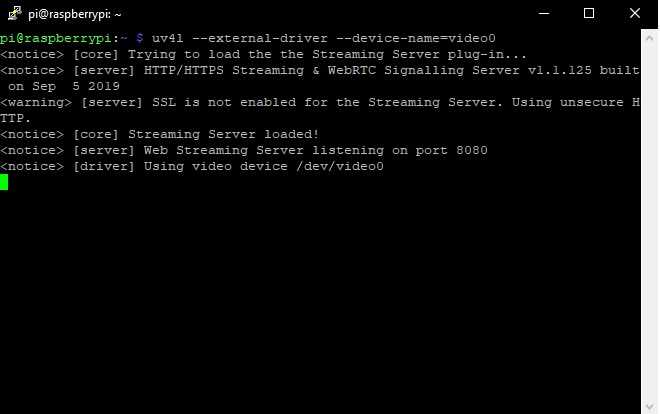
이런 창이 뜨면 서버가 열린 것 !
2. 웹 접속
① 라즈베리파이 ip주소를 입력하여 외부에서 라즈베리파이 서버로 접속 : http://yourraspberrypiip:8080/stream/webrtc
② local에서 접속 : http://localhost:8080/stream/webrtc
3. 지연 속도 측정

대략 200ms 지연 ๑•‿•๑